Amongst all the hype over Apple’s first-ever foldable smartphone, the iPhone Duo, which was announced at the company’s ‘Surprise and Shine’ event, Apple (rather quietly) also revealed when Mac users can get the latest version of its desktop operating system, macOS 27 Golden Gate: September 14.
While pretty much all of the attention was focused on the foldable, the launch of macOS 27 is noteworthy for anyone with a modern Mac or MacBook, as this free upgrade brings some tasty new features, while also addressing some of the less popular changes that came with its predecessor, macOS 26 Tahoe.
If you have a compatible Mac, then you should be prompted to download and install macOS 27 Golden Gate once September 14 rolls around. However, if you have a Mac from before 2020 that doesn’t run on Apple Silicon (so any Intel-powered Macs), then you won’t be able to get the update.
For reference, here are all the Mac models that are compatible with macOS 27 Golden Gate:
- MacBook Air M1 or later
- MacBook Pro M1 or later
- MacBook Pro 13-inch M1 2020 or later
- MacBook Pro 14-inch M1 Pro 2021 or later
- MacBook Pro 16-inch M1 Pro 2021 or later
- MacBook Neo
- iMac M1 2020 or later
- Mac mini M1 2020 or later
- Mac Studio 2022 and later
Fixing past mistakes
The main focus of macOS 27, as with Apple’s other operating updates such as iOS 27, and seemingly every piece of new software these days, is AI.The upcoming macOS 27 upgrade paves the way for Siri AI integration – the long-awaited improvements to Apple’s virtual assistant that should make it more useful. When launched, Siri AI should be able to have two way conversations with you and execute multi-step tasks quickly and easily, which could make using your Mac a lot more convenient. It will be able to interact with apps such as Calendar to complete tasks such as creating events and reminders.
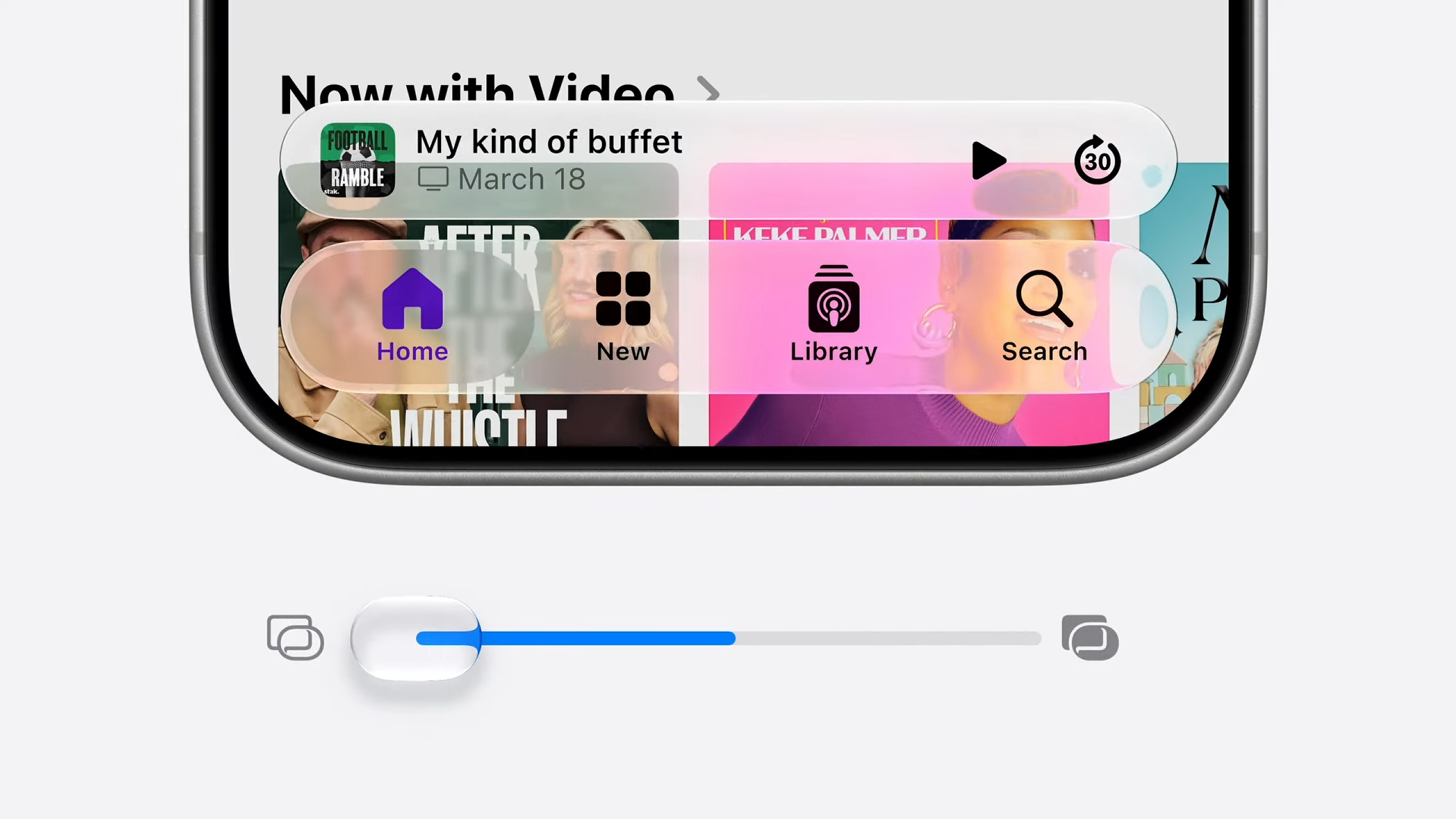
If you’re not a fan of AI, then macOS 27 should still have plenty of reasons to download and install. One reason that will hopefully please a lot of people is that macOS 27 Golden Gate makes tweaks to some of macOS 26 Tahoe’s most controversial changes, especially when it comes to the polarizing Liquid Glass interface. The new macOS will allow you to adjust transparency effects to make using your device more comfortable, and during the beta testing process, it was one of the things our contributor Alex Blake was particularly thankful for. I’m sure he’s not the only one.
When Apple announced macOS 27 at WWDC 2026 earlier this year, it promised lots of performance improvements, especially when it comes to how responsive the operating system feels. This alone should make macOS 27 worth installing on September 14.
If you have an older Mac and feeling left out, make sure you check out our guide on the best Macs and MacBooks, which can help you find a new macOS 27-ready Mac that suits your needs and budget.